
What is Caster Angle?
Caster is the angle of your truck's steering axis when viewed from the side of the vehicle. More specifically, it describes how far the upper ball joint sits behind the lower ball joint. If you drew a straight line through the center of the upper and lower ball joints — called the steering axis — that line should tilt rearward from vertical. The angle between vertical and that line is your caster angle.
Think of it like the fork angle on a bicycle or motorcycle. A fork raked back at an angle tracks straight and is stable at speed. A fork that's completely vertical is twitchy and hard to control. Your truck's front axle works the same way.
Why Caster Matters on a Lifted Straight Axle Truck
Most straight axle trucks leave the factory with approximately 3.0–4.0 degrees of positive caster. This spec is dialed in for stock ride height and stock suspension geometry. The moment you lift the truck — whether with a leveling kit, a coil spring swap, or a full radius arm or 4-link conversion — the suspension geometry changes and caster is almost always reduced as a byproduct.
Running insufficient caster on a lifted truck causes real, noticeable problems:
- Highway wander — the truck constantly drifts and requires active correction to stay in the lane
- Steering pull after bumps and dips — the truck pulls left or right every time it hits a road imperfection
- Poor steering return-to-center — after a turn, the steering wheel doesn't naturally return to straight; you have to manually bring it back
- Increased steering effort — low caster makes the front end feel vague and heavy
- Accelerated tire wear — uneven wear patterns caused by incorrect geometry
The more lift you run, the more critical it becomes to restore or increase caster to compensate for the geometry change.
Recommended Caster Targets for Lifted Straight Axle Trucks
Apoc Industries recommends the following caster targets based on lift height and wheel setup:
| Setup | Recommended Caster |
|---|---|
| Stock height (baseline) | ~3.0°–4.0° (varies by platform) |
| Leveling kit or 2"–4" lift, stock-width wheels | 3.5°–4.5° |
| 4"–6" lift, stock-width wheels | 4.0°–5.0° |
| Any lift height, offset wheels | ~5.0° (minimum) |
| 6"–10"+ lift with 4-link conversion | 4.5°–5.5° |
These are Apoc Industries' recommendations based on real-world testing. Your alignment shop will fine-tune within this range based on your specific truck and driving style.
Running offset wheels? If you're running wheels with a positive offset (wheels pushed outward), the scrub radius increases and the steering becomes more sensitive to road camber and imperfections. Running 5 degrees or more of caster counteracts this and significantly improves on-road tracking and steering feel.
How Adjustable Radius Arms and 4-Link Kits Restore Caster
Most factory straight axle radius arm systems have very limited caster adjustability. The radius arm mounts to fixed pivots on the frame and axle, so once the geometry changes from a lift, you're stuck unless you have adjustable components.
Apoc Adjustable Radius Arms address this in two ways:
- Arm length adjustment — lengthening or shortening the radius arm changes the axle's position relative to the frame, which directly affects caster angle. Shorter arms push the axle forward (less caster); longer arms pull it rearward (more caster). The arm length charts in Apoc's install guides give you a starting point for each lift height.
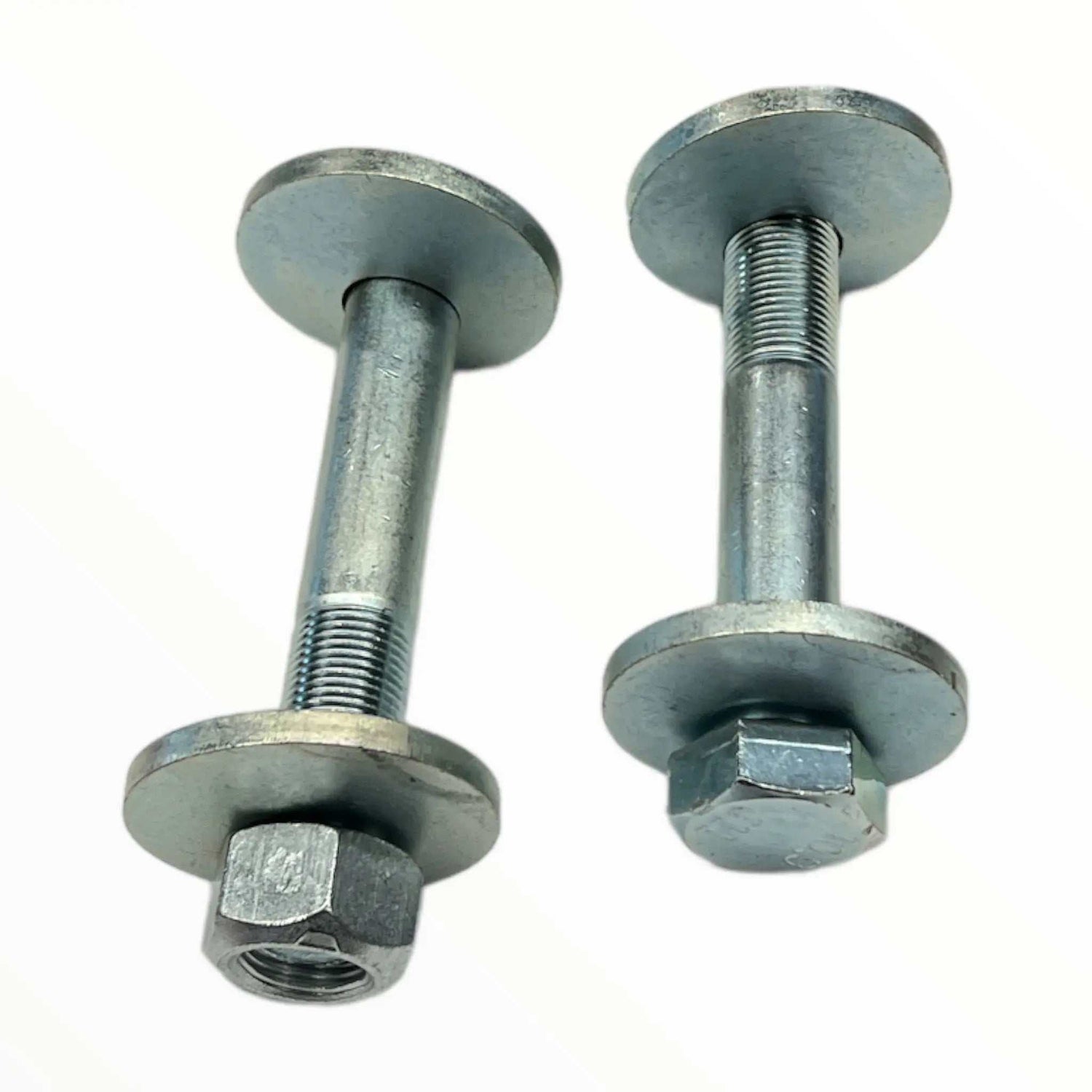
- Alignment cam bolts — the axle-side mounting bolt is a cam bolt, which allows fine caster adjustment independently of arm length. Once arm length gets you in the ballpark, the cam bolt dials it in precisely.
Apoc 4-Link Conversion Kits provide even more control:
- Separate upper and lower adjustable arms give you independent control over both caster and axle centering
- The lower arm axle-side cam bolts provide fine adjustment after arm lengths are set
- The 4-link geometry is inherently more caster-friendly at higher lift heights than the factory radius arm system
How to Measure Caster
You don't need a full alignment rack to get a ballpark caster reading. Here's how to do it at home:
What You Need
- Digital angle finder (also called a digital inclinometer or digital level)
- Vehicle at ride height — full weight on all four wheels, on a level surface
Measurement Procedure
- Park the truck on a level surface with the full weight of the vehicle on the suspension.
- Turn the front wheels straight ahead.
- Locate the machined flat surface on top of the steering knuckle, near the upper ball joint. This flat pad is specifically designed for caster measurement — it's the same surface alignment technicians use.
- Place your digital angle finder flat on this machined surface.
- Zero the gauge and note the reading — this gives you your caster angle directly.
- Repeat on the opposite side. Left and right caster should be within 0.5° of each other. Side-to-side imbalance causes pulling even if the absolute values are within spec.
⚠ A home measurement gives you a solid reference point, but a professional alignment rack measures caster more precisely and also checks camber and toe simultaneously. Always finish a suspension installation with a professional alignment.
How to Adjust Caster
With Apoc Adjustable Radius Arms
- Set the arm length to the correct measurement for your lift height using the arm length chart in your install guide — this gets you close.
- Install the arms with all fasteners hand-tight only.
- Lower the vehicle to full ride height with the complete weight of the truck on the suspension.
- Measure caster at the steering knuckle using a digital angle finder.
- If caster is low, use the alignment cam bolt on the axle-side mount to rotate the axle rearward, increasing caster. If caster is high (uncommon), rotate forward.
- If the cam bolt doesn't provide enough range, adjust the arm length — extend slightly to increase caster, shorten to decrease — then re-check.
- Once at your target, torque the cam bolt to spec with the vehicle at ride height.
- Torque all remaining fasteners to spec and take the truck to an alignment shop for final verification and toe adjustment.
With an Apoc 4-Link Conversion Kit
- Set both upper and lower arm lengths to the values in the 4-link arm length chart for your lift height.
- Install all arms hand-tight and lower to full ride height.
- Measure caster at the knuckle.
- Use the lower arm axle-side cam bolts for fine adjustment — these are your primary caster adjustment point on the 4-link system.
- For larger adjustments, modify the lower arm length, then fine-tune with the cam bolts.
- Once set, torque cam bolts to spec at ride height.
- Torque all other fasteners and proceed to a professional alignment for final setup.
Common Caster Problems and Fixes
| Symptom | Likely Cause | Fix |
|---|---|---|
| Truck wanders on the highway | Insufficient caster (common after a lift) | Increase caster via cam bolts or arm length adjustment |
| Pulls left or right after hitting a bump | Low or uneven caster side-to-side | Check and equalize caster on both sides; target within 0.5° |
| Steering doesn't return to center | Caster too low | Increase caster to 4.5°–5.0° minimum |
| Truck pulls to one side consistently | Uneven caster side-to-side | Adjust the low side up to match the high side |
| Heavy or vague steering feel | Caster too low combined with geometry issues | Increase caster; check ball joints and tie rod ends for wear |
| Can't get enough adjustment from cam bolts | Arm length too short for the lift height | Extend arm length per the arm length chart, then re-check |
Frequently Asked Questions
Can I set caster myself without an alignment shop?
You can get close using a digital angle finder and the cam bolts, but a professional alignment shop has precision equipment that measures caster, camber, and toe simultaneously. After any suspension installation, a professional alignment is required — not optional. DIY caster setting is a useful first pass, not a substitute.
How much does caster affect tire wear?
Incorrect caster primarily causes highway wander and steering issues rather than direct tire wear. However, if caster is severely uneven side-to-side, it can contribute to abnormal wear. Toe angle (adjusted at the alignment shop) has a much larger direct impact on tire wear.
Do I need to re-check caster after the break-in period?
Yes. Apoc Industries recommends re-torquing all suspension fasteners at 500 miles after installation. It's also worth having caster re-verified at your next alignment if you notice any change in steering feel after the break-in period.
Is more caster always better?
No — and on a 4WD straight axle truck, there's a hard mechanical limit you need to respect. Every degree of caster you add also increases the operating angle of your front U-joints. On a solid axle 4WD, the front axle shafts run through U-joints that must articulate through their full range — steering, suspension droop, and compression — simultaneously. The higher your caster, the more severe that U-joint angle becomes, especially at full steering lock.
Excessive U-joint angles cause:
- Vibration under power in 4WD — particularly noticeable at low speeds on the trail or when accelerating out of a turn
- Accelerated U-joint wear — high operating angles generate heat and stress the needle bearings
- U-joint failure — in extreme cases, severely angled joints can fail under load
This is why the 3.5°–5.5° range exists — it balances on-road handling with acceptable U-joint operating angles. Chasing 7+ degrees of caster to cure a wander problem will create a new problem in 4WD. If you can't achieve good on-road tracking within the recommended range, the root cause is usually something else: worn tie rod ends, worn ball joints, improper arm lengths for the actual lift height, or a toe setting that's out of spec. Fix the root cause rather than piling on caster.
Does caster change when I add a load or trailer?
Caster is a static measurement taken at ride height without a load. Under load or towing, the rear of the truck squats which slightly changes front suspension geometry, but the change is minor and the caster setting established at ride height remains the correct baseline.
Apoc Industries | apocindustries.com | 865-983-5004 | support@apocindustries.com
This guide is provided for reference and educational purposes. Always follow your specific product install guide and have suspension work verified by a qualified alignment technician.

Leave a comment
This site is protected by hCaptcha and the hCaptcha Privacy Policy and Terms of Service apply.